


Document Reader - PDF Editor
3.7103.00 Reviews
App Specs
- Version
- 1.0.11
- Updated On
- License
- Free
- Downloads
- 500,000+
- Developer
- Popientip Yia
- Categories
- Tools
- Platform
- Android
Screenshots
 Analysis by AppCompare
Ever found yourself in a pinch needing to edit a PDF on your phone but didn’t know where to start? Well, let me introduce you to Document Reader - PDF Editor. This app has been my go-to solution for managing PDFs on the go, and it might just become yours too. Let’s dive into why this app is making waves in the document management world.
What’s in the Box?
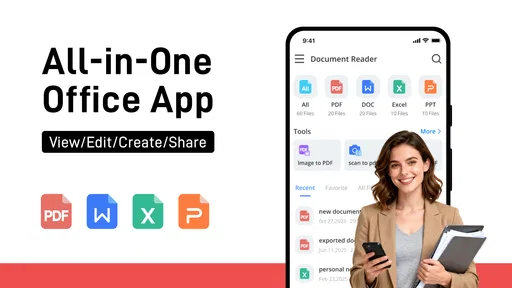
First off, Document Reader - PDF Editor has a pretty straightforward interface. As soon as you open the app, you’re greeted with a clean and intuitive design that doesn’t overwhelm you with options. This simplicity is a lifesaver, especially when you’re in a rush.
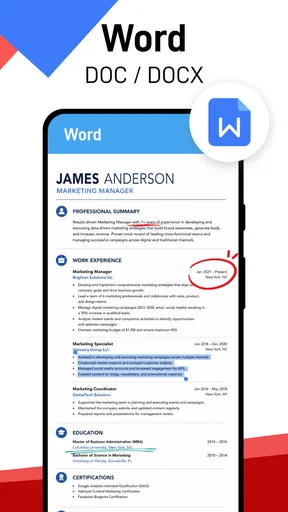
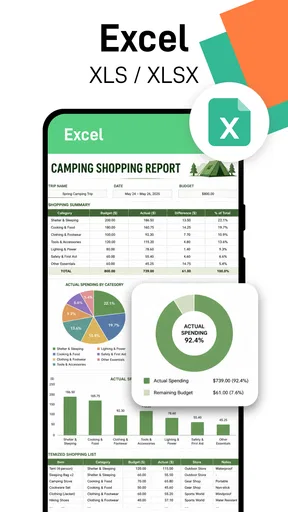
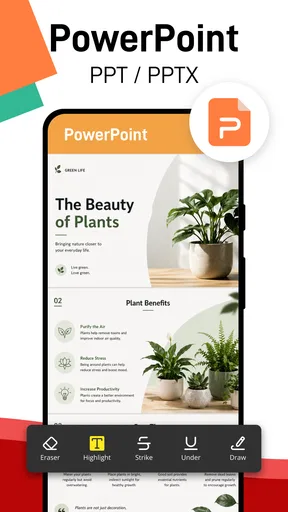
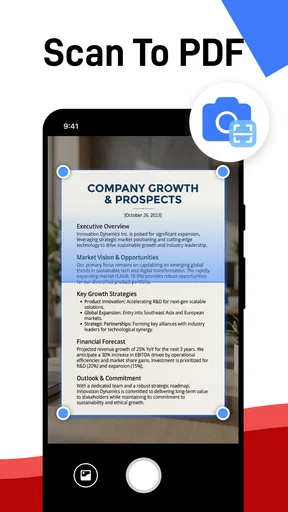
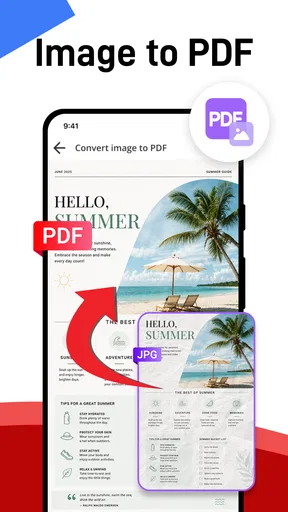
The main features are neatly categorized, making navigation a breeze. You can easily open, read, and edit PDFs without jumping through hoops. The app supports a wide range of file formats too, so whether it’s a PDF, DOCX, or even a simple TXT file, you’re covered.
Editing Capabilities
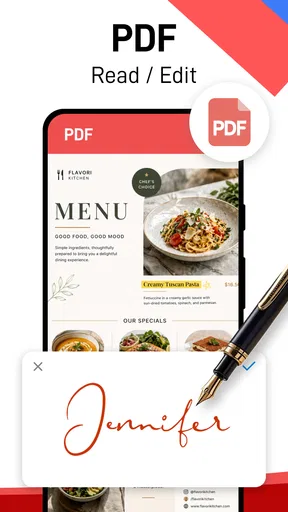
Now, let’s talk about the editing capabilities because that’s where the magic happens. The app allows you to add text, insert images, and even annotate your documents. Need to sign something? No problem. The signature tool is a real game-changer, allowing you to sign documents right from your device. It’s fast, easy, and, most importantly, it works seamlessly.
One feature that stands out is the ability to merge multiple PDFs into one document. This is incredibly useful if you’re managing several reports or presentations at once. The app handles this effortlessly, ensuring that everything stays in order.
Viewing Experience
Reading PDFs on a small screen can be a hassle, but not with this app. It offers a smooth scrolling experience and a variety of viewing options. You can switch between single-page and continuous scrolling, which is perfect for lengthy documents. The zoom function is also on point, letting you focus on the details without losing clarity.
Security and Sharing
Security is a big deal when it comes to handling documents on your phone. Fortunately, the app offers password protection for sensitive documents, ensuring your information stays private. Sharing documents is equally straightforward. You can easily send files via email or share them through cloud services like Google Drive or Dropbox directly from the app.
Worth Reading Before You Choose

EA SPORTS FC Mobile 26 Is a Bigger Football Game, but It Takes Time

Flipboard Shows What News Apps Must Do Beyond the Feed

Switching to Android Auto Means Rethinking Your Driving Routine

Google Calendar Makes a Crowded Week Easier to Manage

Ludo King Makes the Most of the Minutes Between Plans

Baby Panda World Brings Quick Play to Modern Phones, but Its Game Library Feels Busy
The sharing options are extensive, making collaboration with colleagues or friends a breeze. No more jumping between apps to get your document where it needs to go.
Performance and Usability
Performance-wise, the app runs smoothly without any hiccups. It loads documents quickly, and I haven’t experienced any crashes or lag, which is a huge plus. The app size is also quite manageable, so it doesn’t hog too much space on your device.
In terms of usability, everything is designed to be user-friendly. Whether you’re a tech-savvy pro or someone who just needs to get a document edited quickly, you’ll find this app accommodating. It strikes a nice balance between offering robust features and maintaining simplicity.
Final Thoughts
So, is Document Reader - PDF Editor worth downloading? Absolutely. It’s a versatile tool that makes managing PDFs on your phone not just possible, but downright easy. With its strong editing capabilities, seamless sharing options, and user-friendly interface, it’s a must-have app for anyone dealing with documents regularly.
If you’re tired of clunky PDF apps that promise a lot but deliver little, give this one a try. It’s efficient, reliable, and, most importantly, it gets the job done without any unnecessary fuss. Go ahead, download it, and make your mobile document management a whole lot easier.
Pros
- User-friendly interface for easy navigation.
- Supports multiple file formats beyond PDF.
- Quick export and sharing options available.
- Efficient text search within documents.
- Offline access to files without issues.
Cons
- Limited free features; many require purchase.
- Occasional ads can be distracting.
- Editing tools lack advanced features.
- May experience slow loading with large files.
- Requires frequent updates for bug fixes.
FAQs for Document Reader - PDF Editor
What features does the Document Reader - PDF Editor offer?
The Document Reader - PDF Editor provides a comprehensive set of features for viewing, editing, and managing PDF files. Users can annotate, highlight, and add comments to documents. It also supports merging and splitting PDFs, making it a versatile tool for both personal and professional use.
Is the app compatible with all PDF file formats?
Yes, the Document Reader - PDF Editor is designed to handle a wide range of PDF file formats. It supports standard PDFs as well as encrypted or password-protected documents, ensuring that users can access and edit almost any PDF file they encounter.
Does the app require an internet connection to function?
No, the Document Reader - PDF Editor does not require an internet connection for most of its features. Users can view and edit PDFs offline, which is particularly useful for those who need to work on the go or in areas with limited connectivity.
Are there any in-app purchases or subscription fees?
While the basic features of the Document Reader - PDF Editor are free, there are premium features available through in-app purchases. Users can opt for a subscription to unlock advanced tools like cloud storage integration and additional editing capabilities.
How secure is the Document Reader - PDF Editor with sensitive information?
The app prioritizes user security by offering encryption for documents and secure cloud storage options. It allows users to set passwords and permissions on sensitive files, ensuring that their data remains protected and private.


